github.com/astroidmail/astroid @v0.17
Chat with this repoWhat it actually does AI analysis from the code graph — generated when you open this
README

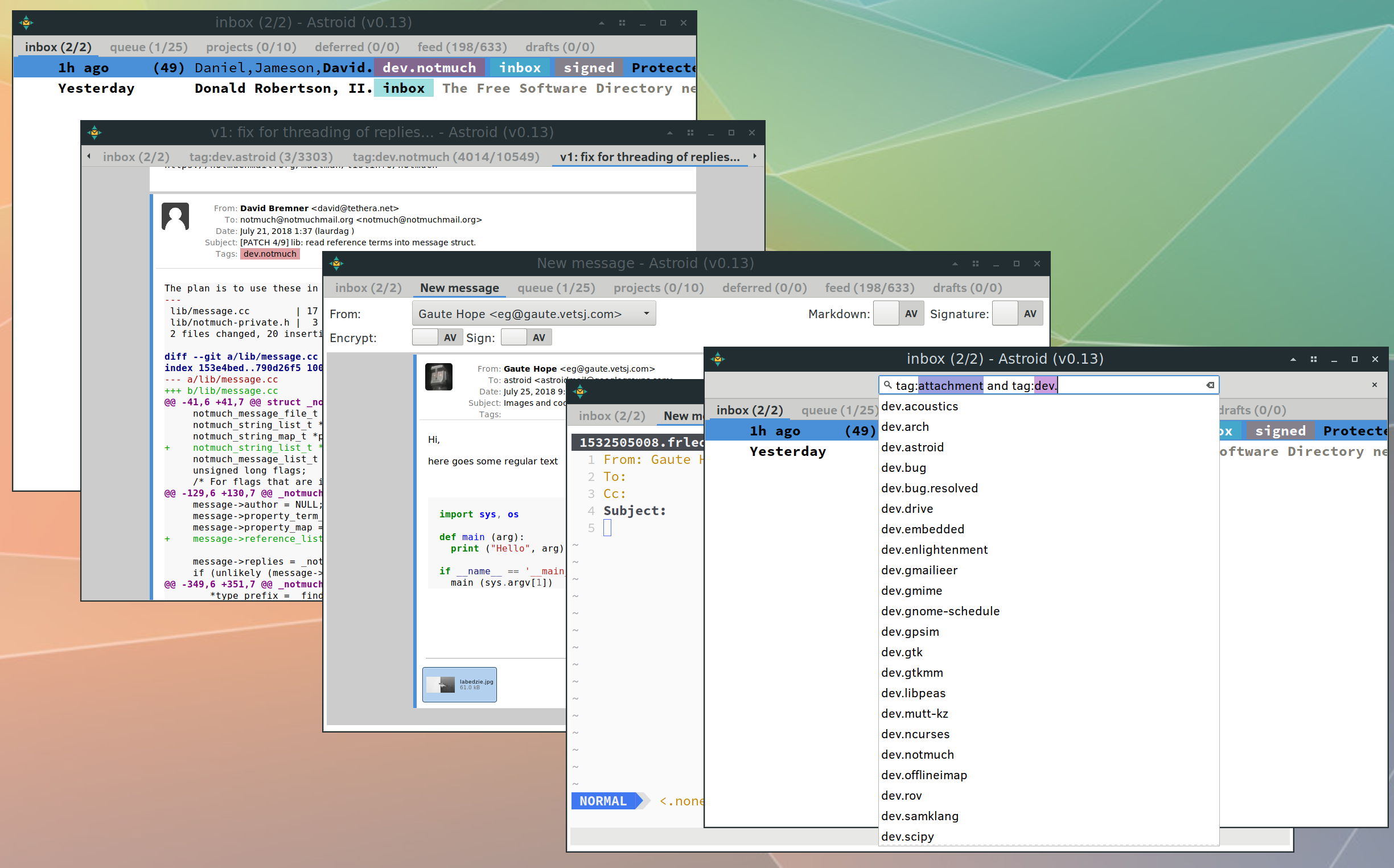
Astroid is a lightweight and fast Mail User Agent that provides a graphical interface to searching, displaying and composing email, organized in threads and tags. Astroid uses the notmuch backend for blazingly fast searches through tons of email. Astroid searches, displays and composes emails - and rely on other programs for fetching, syncing and sending email. Check out Astroid in your general mail setup for a suggested complete e-mail solution.
The tour of how to install, configure and use astroid provides detailed information on setup and usage, while brief instructions are provided below.
Main features
- lightweight and fast!
- fully operable by keyboard.
- graphical interface. buffers can be placed in separate windows.
- display html mail and common attachments inline.
- themable and configurable.
- built-in crypto (PGP/MIME) support.
- editors: embedded or external vim or emacs (or your favourite editor).
- syntax highlighting of patches and code segments.
- python and lua plugins.
- and much more...
Acquiring astroid
Get astroid through git by:
$ git clone https://github.com/astroidmail/astroid.git
Installation and Usage
Building
$ cd astroid
$ cmake -H. -Bbuild -GNinja # to use the ninja backend
$ cmake --build build
Run cmake -DOPTION=VALUE .. from build/ to set any build options (list with cmake -L). Subsequent builds can be done by running ninja (or make if you are using that) from the build directory.
And to run the tests do:
$ cd build
$ ctest
Installing
Configure with a prefix and install:
$ cmake -H. -Bbuild -GNinja -DCMAKE_INSTALL_PREFIX=/usr/local
$ cmake --build build --target install
This will install the astroid binary into /usr/local/bin/, and data files into /usr/local/share/astroid/. Refer to the installing section in the wiki for more information.
Configuration
The configuration of astroid is kept in the directory $XDG_CONFIG_HOME/astroid (normally: ~/.config/astroid/). Refer to the configuration section in the wiki for how to configure astroid. You can use astroid --new-config to create a configuration file filled with the default values. If no file exists, the default values are used.
Execution and Usage
$ ./build/astroid # to run from source repository
Press ? to get a list of available key bindings in the current mode, navigate up and down using j and k. Refer to the usage section in the wiki for more information on usage and customization.
Patches, Help, Comments and Bugs
Report on the github page or to the mailinglist at: astroidmail@googlegroups.com, subscribe online or by sending an email to: astroidmail+subscribe@googlegroups.com.
Contributions to Astroid in the form of patches, documentation and testing are very welcome. Information on how to contribute to astroid can be found in the wiki.
You can usually find us at #astroid (web) or #notmuch (web) at irc.freenode.net.
This project adheres to Contributor Covenant Code of Conduct v1.4.
Acknowledgements
The main inspiration for astroid is the sup mail user agent. sup provided inspiration for notmuch which is a mail indexer. astroid is using notmuch as a backend.
Some parts of the user interface and layout has been inspired by the Geary mail client. Also, some inspiration and code stems from ner (another notmuch email client).
License
See LICENSE.md for licensing information.
Core symbols most depended-on inside this repo
register_keyShape
Languages
Modules by API surface
For agents
$ claude mcp add astroid \
  -- python -m otcore.mcp_server <graph>