github.com/enquirer/enquirer @2.4.0 sqlite
README
Enquirer


Stylish CLI prompts that are user-friendly, intuitive and easy to create.
>_ Prompts should be more like conversations than inquisitions▌
(Example shows Enquirer's Survey Prompt)
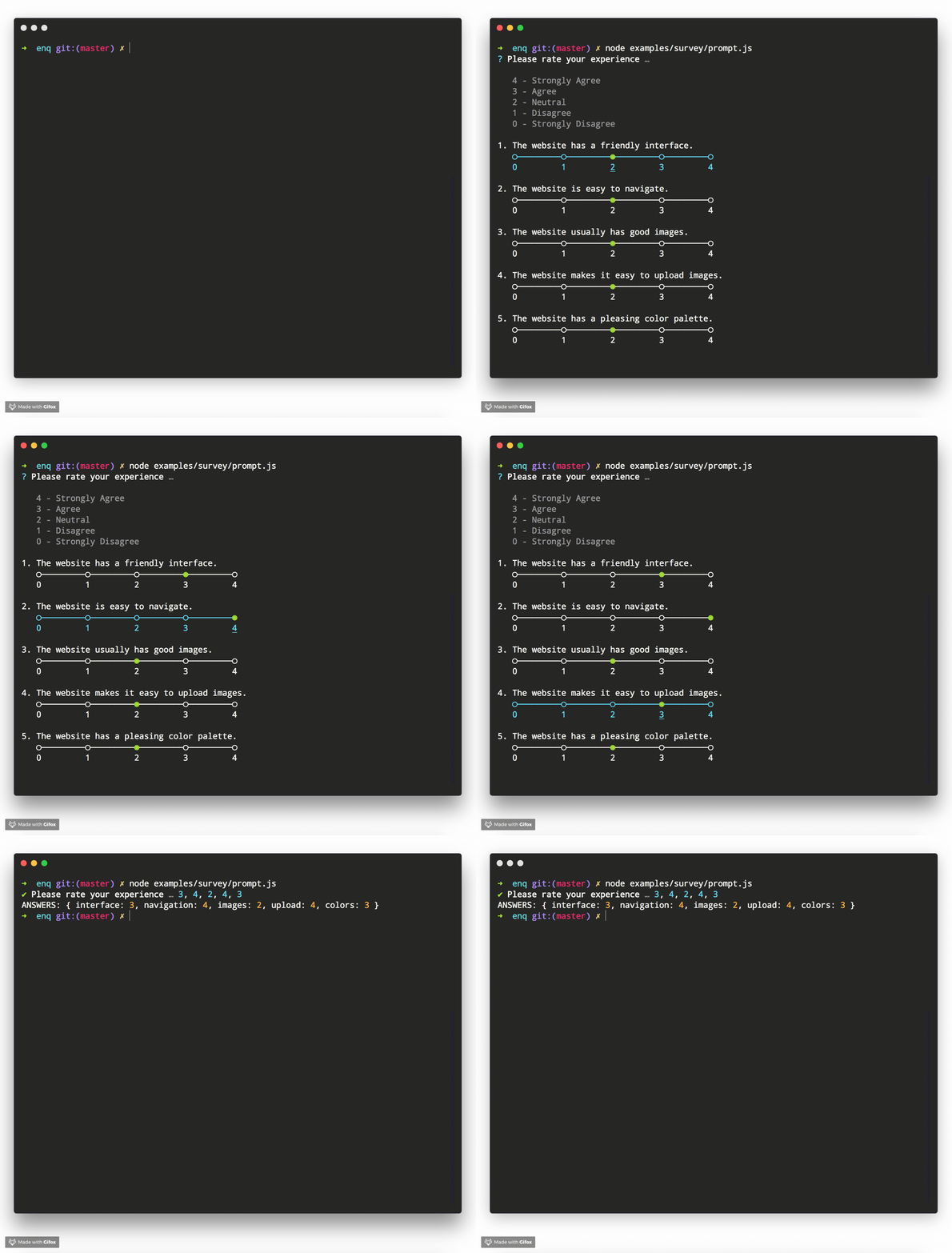
The terminal in all examples is Hyper, theme is hyper-monokai-extended.
Created by jonschlinkert and doowb, Enquirer is fast, easy to use, and lightweight enough for small projects, while also being powerful and customizable enough for the most advanced use cases.
- Fast - Loads in ~4ms (that's about 3-4 times faster than a single frame of a HD movie at 60fps)
- Lightweight - Only one dependency, the excellent ansi-colors by Brian Woodward.
- Easy to implement - Uses promises and async/await and sensible defaults to make prompts easy to create and implement.
- Easy to use - Thrill your users with a better experience! Navigating around input and choices is a breeze. You can even create quizzes, or record and playback key bindings to aid with tutorials and videos.
- Intuitive - Keypress combos are available to simplify usage.
- Flexible - All prompts can be used standalone or chained together.
- Stylish - Easily override semantic styles and symbols for any part of the prompt.
- Extensible - Easily create and use custom prompts by extending Enquirer's built-in prompts.
- Pluggable - Add advanced features to Enquirer using plugins.
- Validation - Optionally validate user input with any prompt.
- Well tested - All prompts are well-tested, and tests are easy to create without having to use brittle, hacky solutions to spy on prompts or "inject" values.
- Examples - There are numerous examples available to help you get started.
If you like Enquirer, please consider starring or tweeting about this project to show your support. Thanks!
>_ Ready to start making prompts your users will love? ▌
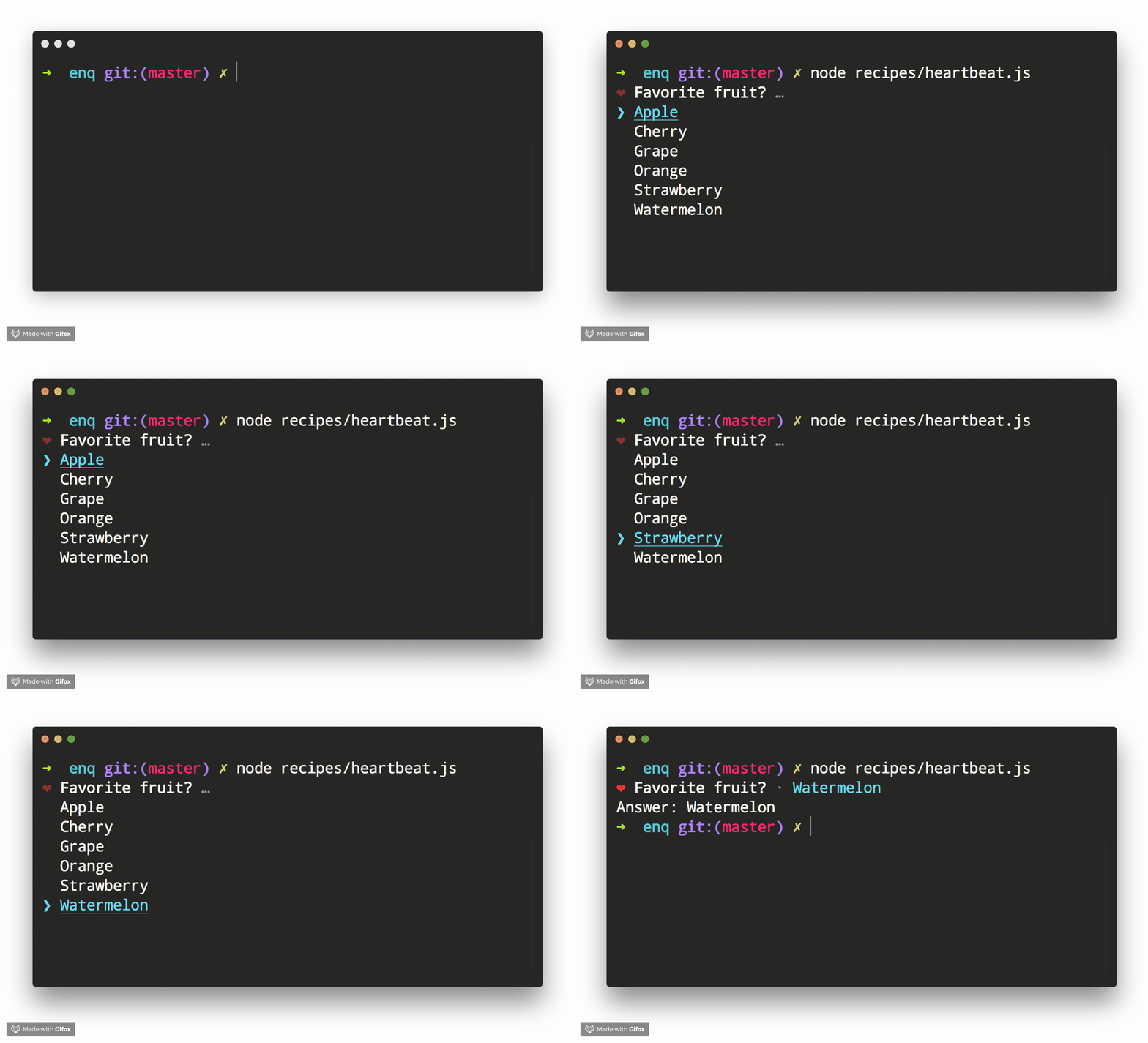
❯ Getting started
Get started with Enquirer, the most powerful and easy-to-use Node.js library for creating interactive CLI prompts.
- Install
- Usage
- Enquirer
- Prompts
- Built-in Prompts
- Custom Prompts
- Key Bindings
- Options
- Release History
- Performance
- About
❯ Install
Install with npm:
npm install enquirer --save
Install with yarn:
yarn add enquirer
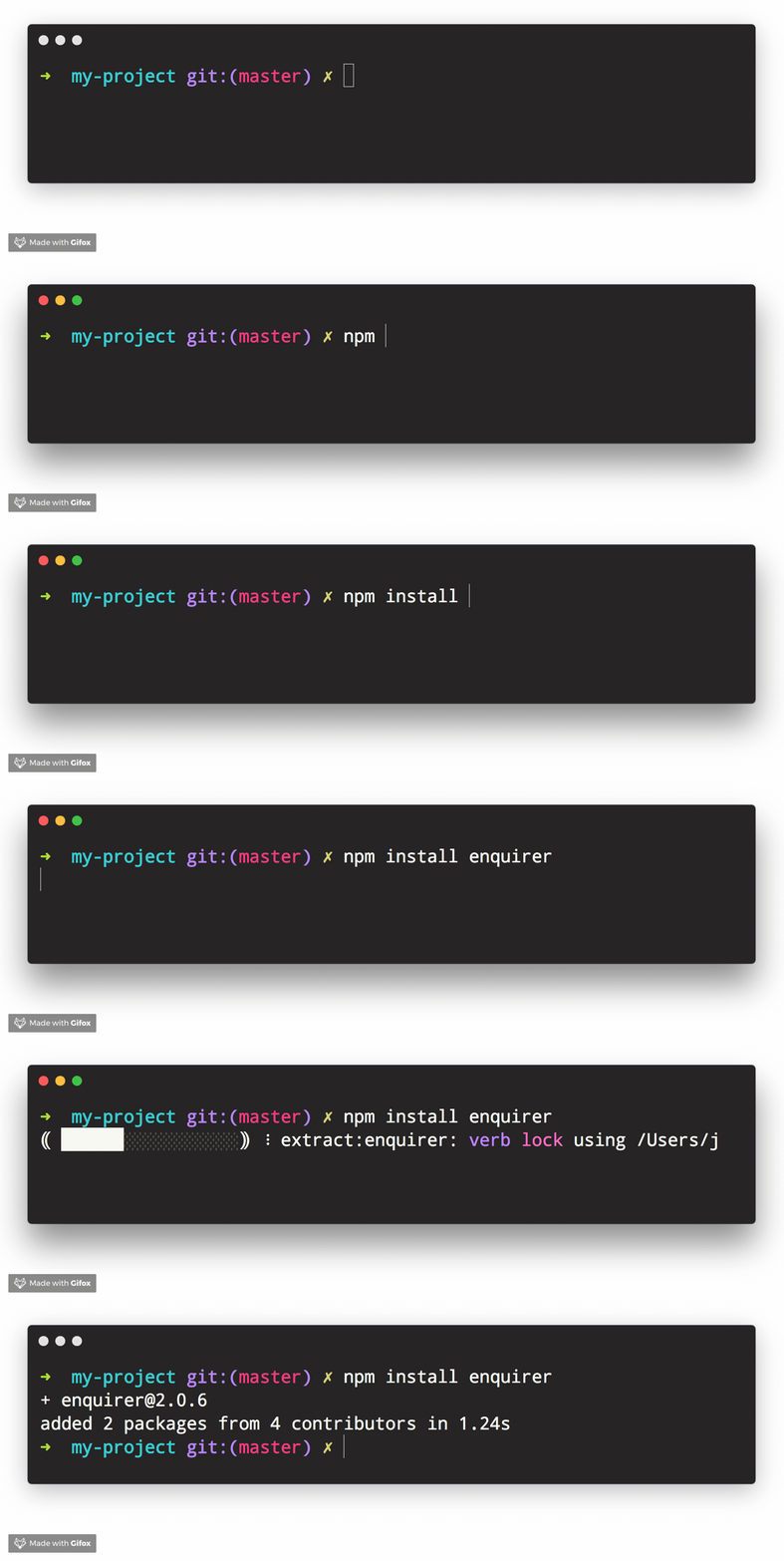
(Requires Node.js 8.6 or higher. Please let us know if you need support for an earlier version by creating an issue.)
❯ Usage
Single prompt
The easiest way to get started with enquirer is to pass a question object to the prompt method.
const { prompt } = require('enquirer');

const response = await prompt({
  type: 'input',
  name: 'username',
  message: 'What is your username?'
});

console.log(response); // { username: 'jonschlinkert' }
(Examples with await need to be run inside an async function)
Multiple prompts
Pass an array of "question" objects to run a series of prompts.
const response = await prompt([
  {
    type: 'input',
    name: 'name',
    message: 'What is your name?'
  },
  {
    type: 'input',
    name: 'username',
    message: 'What is your username?'
  }
]);

console.log(response); // { name: 'Edward Chan', username: 'edwardmchan' }
Different ways to run enquirer
1. By importing the specific built-in prompt
const { Confirm } = require('enquirer');

const prompt = new Confirm({
  name: 'question',
  message: 'Did you like enquirer?'
});

prompt.run()
  .then(answer => console.log('Answer:', answer));
2. By passing the options to prompt
const { prompt } = require('enquirer');

prompt({
  type: 'confirm',
  name: 'question',
  message: 'Did you like enquirer?'
})
  .then(answer => console.log('Answer:', answer));
Jump to: Getting Started · Prompts · Options · Key Bindings
❯ Enquirer
Enquirer is a prompt runner
Add Enquirer to your JavaScript project with following line of code.
const Enquirer = require('enquirer');
The main export of this library is the Enquirer class, which has methods and features designed to simplify running prompts.
const { prompt } = require('enquirer');
const questions = [
  {
    type: 'input',
    name: 'username',
    message: 'What is your username?'
  },
  {
    type: 'password',
    name: 'password',
    message: 'What is your password?'
  }
];

const answers = await prompt(questions);
console.log(answers);
Prompts control how values are rendered and returned
Each individual prompt is a class with special features and functionality for rendering the types of values you want to show users in the terminal, and subsequently returning the types of values you need to use in your application.
How can I customize prompts?
Below in this guide you will find information about creating custom prompts. For now, we'll focus on how to customize an existing prompt.
All of the individual prompt classes in this library are exposed as static properties on Enquirer. This allows them to be used directly without using enquirer.prompt().
Use this approach if you need to modify a prompt instance, or listen for events on the prompt.
Example
const { Input } = require('enquirer');
const prompt = new Input({
  name: 'username',
  message: 'What is your username?'
});

prompt.run()
  .then(answer => console.log('Username:', answer))
  .catch(console.error);
Enquirer
Create an instance of Enquirer.
Params
options{Object}: (optional) Options to use with all prompts.answers{Object}: (optional) Answers object to initialize with.
Example
const Enquirer = require('enquirer');
const enquirer = new Enquirer();
register()
Register a custom prompt type.
Params
type{String}fn{Function|Prompt}:Promptclass, or a function that returns aPromptclass.returns{Object}: Returns the Enquirer instance
Example
const Enquirer = require('enquirer');
const enquirer = new Enquirer();
enquirer.register('customType', require('./custom-prompt'));
prompt()
Prompt function that takes a "question" object or array of question objects, and returns an object with responses from the user.
Params
questions{Array|Object}: Options objects for one or more prompts to run.returns{Promise}: Promise that returns an "answers" object with the user's responses.
Example
const Enquirer = require('enquirer');
const enquirer = new Enquirer();

const response = await enquirer.prompt({
  type: 'input',
  name: 'username',
  message: 'What is your username?'
});
console.log(response);
use()
Use an enquirer plugin.
Params
plugin{Function}: Plugin function that takes an instance of Enquirer.returns{Object}: Returns the Enquirer instance.
Example
const Enquirer = require('enquirer');
const enquirer = new Enquirer();
const plugin = enquirer => {
  // do stuff to enquire instance
};
enquirer.use(plugin);
Enquirer#prompt
Prompt function that takes a "question" object or array of question objects, and returns an object with responses from the user.
Params
questions{Array|Object}: Options objects for one or more prompts to run.returns{Promise}: Promise that returns an "answers" object with the user's responses.
Example
const { prompt } = require('enquirer');
const response = await prompt({
  type: 'input',
  name: 'username',
  message: 'What is your username?'
});
console.log(response);
❯ Prompts
This section is about Enquirer's prompts: what they look like, how they work, how to run them, available options, and how to customize the prompts or create your own prompt concept.
Getting started with Enquirer's prompts
- Prompt - The base
Promptclass used by other prompts - Prompt Options
- Built-in prompts
- Prompt Types - The base
Promptclass used by other prompts - Custom prompts - Enquirer 2.0 introduced the concept of prompt "types", with the goal of making custom prompts easier than ever to create and use.
Prompt
The base Prompt class is used to create all other prompts.
const { Prompt } = require('enquirer');
class MyCustomPrompt extends Prompt {}
See the documentation for creating custom prompts to learn more about how this works.
Prompt Options
Each prompt takes an options object (aka "question" object), that implements the following interface:
{
  // required
  type: string | function,
  name: string | function,
  message: string | function | async function,

  // optional
  skip: boolean | function | async function,
  initial: string | function | async function,
  format: function | async function,
  result: function | async function,
  validate: function | async function,
}
Each property of the options object is described below:
| Property | Required? | Type | Description |
|---|---|---|---|
type |
yes | string\|function |
Enquirer uses this value to determine the type of prompt to run, but it's optional when prompts are run directly. |
name |
yes | string\|function |
Used as the key for the answer on the returned values (answers) object. |
message |
yes | string\|function |
The message to display when the prompt is rendered in the terminal. |
skip |
no | boolean\|function |
If true it will not ask that prompt. |
initial |
no | string\|function |
The default value to return if the user does not supply a value. |
format |
no | function |
Function to format user input in the terminal. |
result |
no | function |
Function to format the final submitted value before it's returned. |
validate |
no | function |
Function to validate the submitted value before it's returned. This function may return a boolean or a string. If a string is returned it will be used as the validation error message. |
Example usage
const { prompt } = require('enquirer');

const question = {
  type: 'input',
  name: 'username',
  message: 'What is your username?'
};

prompt(question)
  .then(answer => console.log('Answer:', answer))
  .catch(console.error);
Built-in prompts
- AutoComplete Prompt
- BasicAuth Prompt
- Confirm Prompt
- Form Prompt
- Input Prompt
- Invisible Prompt
- List Prompt
- MultiSelect Prompt
- Numeral Prompt
- Password Prompt
- Quiz Prompt
- Survey Prompt
- Scale Prompt
- Select Prompt
- Sort Prompt
- Snippet Prompt
- Toggle Prompt
AutoComplete Prompt
Prompt that auto-completes as the user types, and returns the selected value as a string.
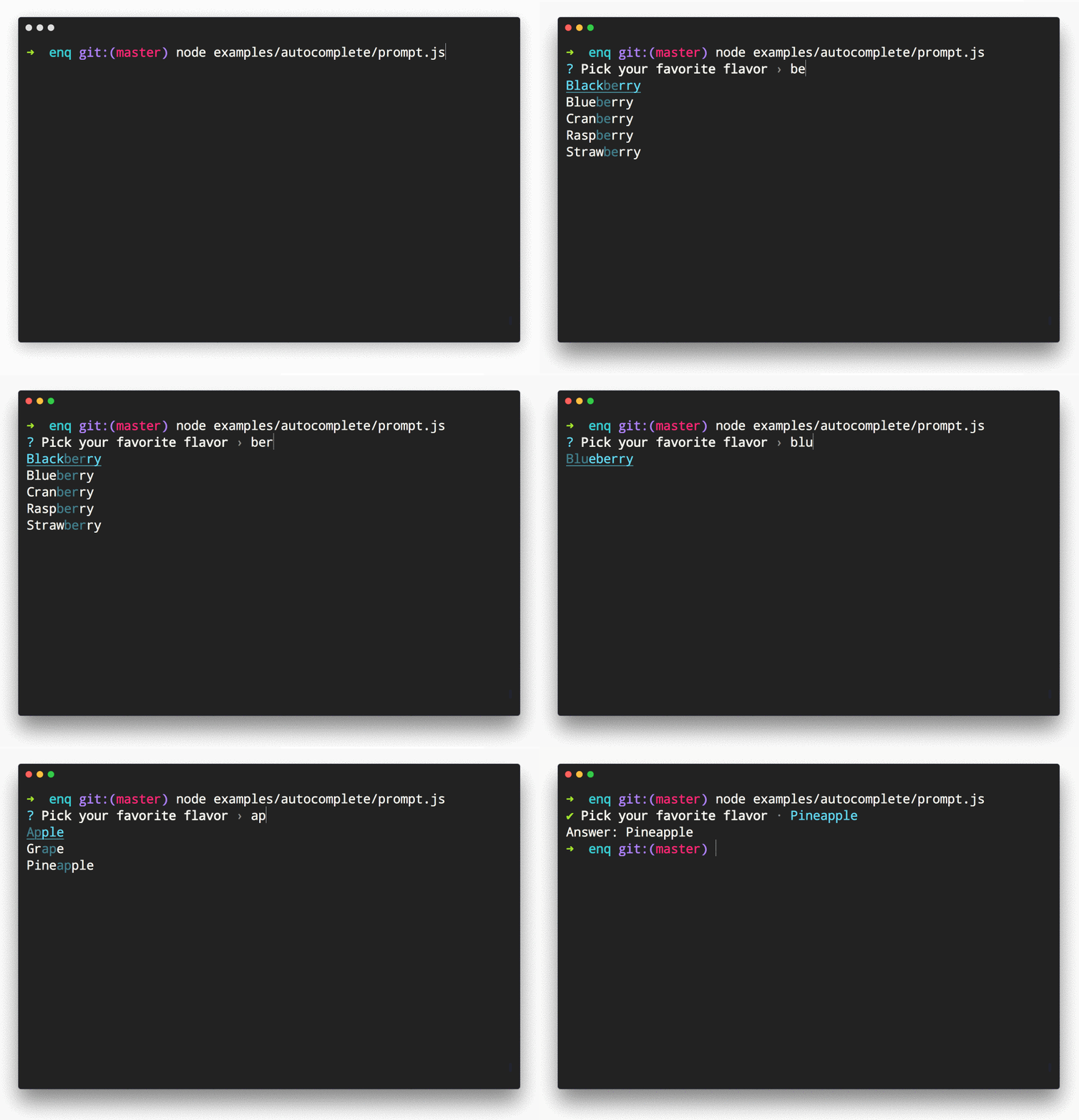
Example Usage
const { AutoComplete } = require('enquirer');

const prompt = new AutoComplete({
  name: 'flavor',
  message: 'Pick your favorite flavor',
  limit: 10,
  initial: 2,
  choices: [
    'Almond',
    'Apple',
    'Banana',
    'Blackberry',
    'Blueberry',
    'Cherry',
    'Chocolate',
    'Cinnamon',
    'Coconut',
    'Cranberry',
    'Grape',
    'Nougat',
    'Orange',
    'Pear',
    'Pineapple',
    'Raspberry',
    'Strawberry',
    'Vanilla',
    'Watermelon',
    'Wintergreen'
  ]
});

prompt.run()
  .then(answer => console.log('Answer:', answer))
  .catch(console.error);
AutoComplete Options
| Option | Ty
Extension points exported contracts — how you extend this code
BasePromptOptions (Interface)Core symbols most depended-on inside this repo
keypressShape
Languages
Modules by API surface
Used by 25 indexed graphs manifest dependencies, hub-wide
Dependencies from manifests, versioned
For agents
$ claude mcp add enquirer \
  -- python -m otcore.mcp_server <graph>