github.com/fatih/color @v1.19.0 sqlite
README
color 

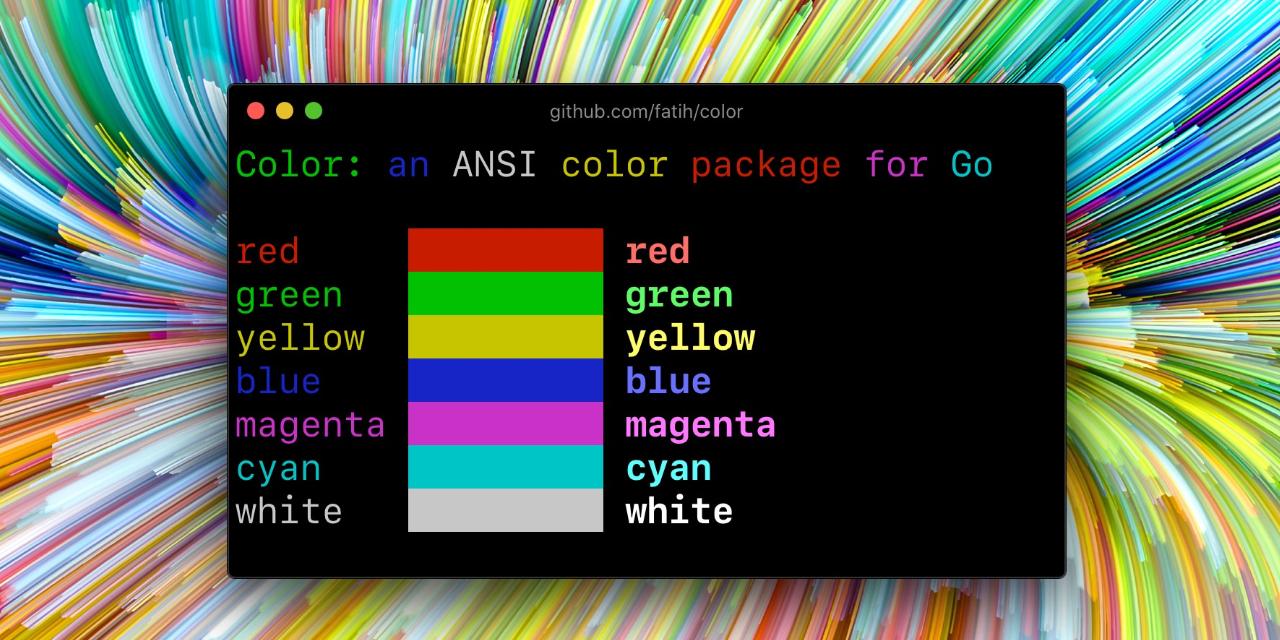
Color lets you use colorized outputs in terms of ANSI Escape Codes in Go (Golang). It has support for Windows too! The API can be used in several ways, pick one that suits you.
Install
go get github.com/fatih/color
Examples
Standard colors
// Print with default helper functions
color.Cyan("Prints text in cyan.")

// A newline will be appended automatically
color.Blue("Prints %s in blue.", "text")

// These are using the default foreground colors
color.Red("We have red")
color.Magenta("And many others ..")
RGB colors
If your terminal supports 24-bit colors, you can use RGB color codes.
color.RGB(255, 128, 0).Println("foreground orange")
color.RGB(230, 42, 42).Println("foreground red")

color.BgRGB(255, 128, 0).Println("background orange")
color.BgRGB(230, 42, 42).Println("background red")
Mix and reuse colors
// Create a new color object
c := color.New(color.FgCyan).Add(color.Underline)
c.Println("Prints cyan text with an underline.")

// Or just add them to New()
d := color.New(color.FgCyan, color.Bold)
d.Printf("This prints bold cyan %s\n", "too!.")

// Mix up foreground and background colors, create new mixes!
red := color.New(color.FgRed)

boldRed := red.Add(color.Bold)
boldRed.Println("This will print text in bold red.")

whiteBackground := red.Add(color.BgWhite)
whiteBackground.Println("Red text with white background.")

// Mix with RGB color codes
color.RGB(255, 128, 0).AddBgRGB(0, 0, 0).Println("orange with black background")

color.BgRGB(255, 128, 0).AddRGB(255, 255, 255).Println("orange background with white foreground")
Use your own output (io.Writer)
// Use your own io.Writer output
color.New(color.FgBlue).Fprintln(myWriter, "blue color!")

blue := color.New(color.FgBlue)
blue.Fprint(writer, "This will print text in blue.")
Custom print functions (PrintFunc)
// Create a custom print function for convenience
red := color.New(color.FgRed).PrintfFunc()
red("Warning")
red("Error: %s", err)

// Mix up multiple attributes
notice := color.New(color.Bold, color.FgGreen).PrintlnFunc()
notice("Don't forget this...")
Custom fprint functions (FprintFunc)
blue := color.New(color.FgBlue).FprintfFunc()
blue(myWriter, "important notice: %s", stars)

// Mix up with multiple attributes
success := color.New(color.Bold, color.FgGreen).FprintlnFunc()
success(myWriter, "Don't forget this...")
Insert into noncolor strings (SprintFunc)
// Create SprintXxx functions to mix strings with other non-colorized strings:
yellow := color.New(color.FgYellow).SprintFunc()
red := color.New(color.FgRed).SprintFunc()
fmt.Printf("This is a %s and this is %s.\n", yellow("warning"), red("error"))

info := color.New(color.FgWhite, color.BgGreen).SprintFunc()
fmt.Printf("This %s rocks!\n", info("package"))

// Use helper functions
fmt.Println("This", color.RedString("warning"), "should be not neglected.")
fmt.Printf("%v %v\n", color.GreenString("Info:"), "an important message.")

// Windows supported too! Just don't forget to change the output to color.Output
fmt.Fprintf(color.Output, "Windows support: %s", color.GreenString("PASS"))
Plug into existing code
// Use handy standard colors
color.Set(color.FgYellow)

fmt.Println("Existing text will now be in yellow")
fmt.Printf("This one %s\n", "too")

color.Unset() // Don't forget to unset

// You can mix up parameters
color.Set(color.FgMagenta, color.Bold)
defer color.Unset() // Use it in your function

fmt.Println("All text will now be bold magenta.")
Disable/Enable color
There might be a case where you want to explicitly disable/enable color output. the
go-isatty package will automatically disable color output for non-tty output streams
(for example if the output were piped directly to less).
The color package also disables color output if the NO_COLOR environment
variable is set to a non-empty string.
Color has support to disable/enable colors programmatically both globally and
for single color definitions. For example suppose you have a CLI app and a
-no-color bool flag. You can easily disable the color output with:
var flagNoColor = flag.Bool("no-color", false, "Disable color output")

if *flagNoColor {
    color.NoColor = true // disables colorized output
}
It also has support for single color definitions (local). You can disable/enable color output on the fly:
c := color.New(color.FgCyan)
c.Println("Prints cyan text")

c.DisableColor()
c.Println("This is printed without any color")

c.EnableColor()
c.Println("This prints again cyan...")
GitHub Actions
To output color in GitHub Actions (or other CI systems that support ANSI colors), make sure to set color.NoColor = false so that it bypasses the check for non-tty output streams.
Credits
- Fatih Arslan
- Windows support via @mattn: colorable
License
The MIT License (MIT) - see LICENSE.md for more details
Core symbols most depended-on inside this repo
NewShape
Languages
Modules by API surface
Used by 178 indexed graphs manifest dependencies, hub-wide
Dependencies from manifests, versioned
For agents
$ claude mcp add color \
  -- python -m otcore.mcp_server <graph>